

Hero Siege’s filter system is simpler than it looks. The problem is that there are three of them: the loot filter, the highlight filter, the Tarethiel Market filter, and players constantly mix them up. This guide covers all three and what is suitable for your Season 10 build. So keep reading.
What You’ll Read:
The Loot Filter vs. Highlight Filter vs. Market Filter
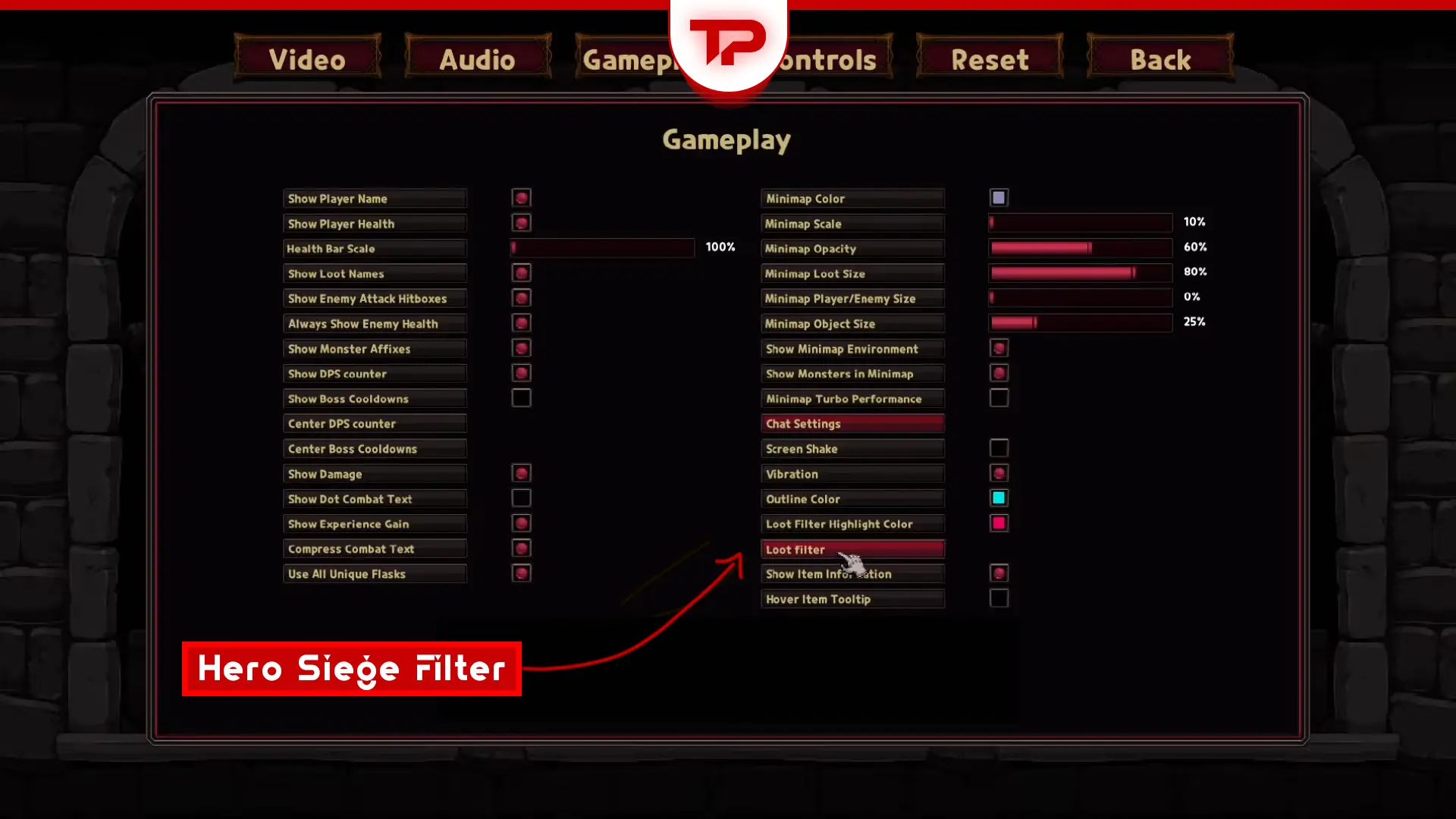
The loot filter controls which drops show up on the ground at all. If you hide items below your standards, they never appear. The highlight filter outlines items already showing and adds a marker on the minimap. Both are in the same settings window, but they’re configured independently. That’s why an item can appear on the ground without being highlighted.
The Tarethiel Market filter is a different thing entirely. It’s the search tool for the trading house, and Panic Art Studios reworked it as part of the Season 10 patch. The loot filter and highlight filter themselves saw no changes in the Season 10 patch notes, so any filter you built in Season 9 still behaves the same way.
How to Import and Export a Filter
Press ESC, then click the filter icon to open it.
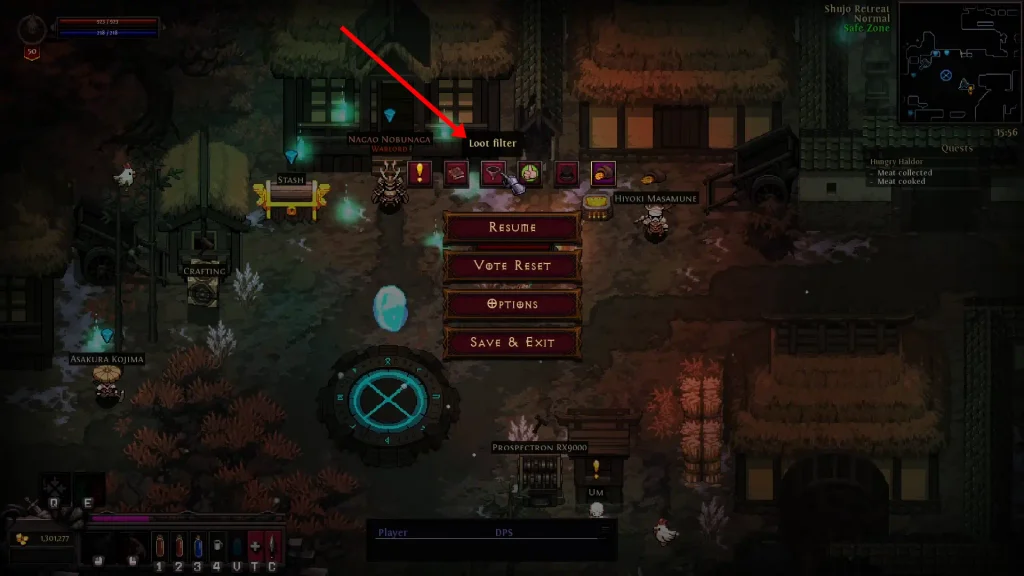
To import a filter, hit the Filter button, click Import, and paste the actual filter data into the box. Not a link to where it’s hosted, the data itself.
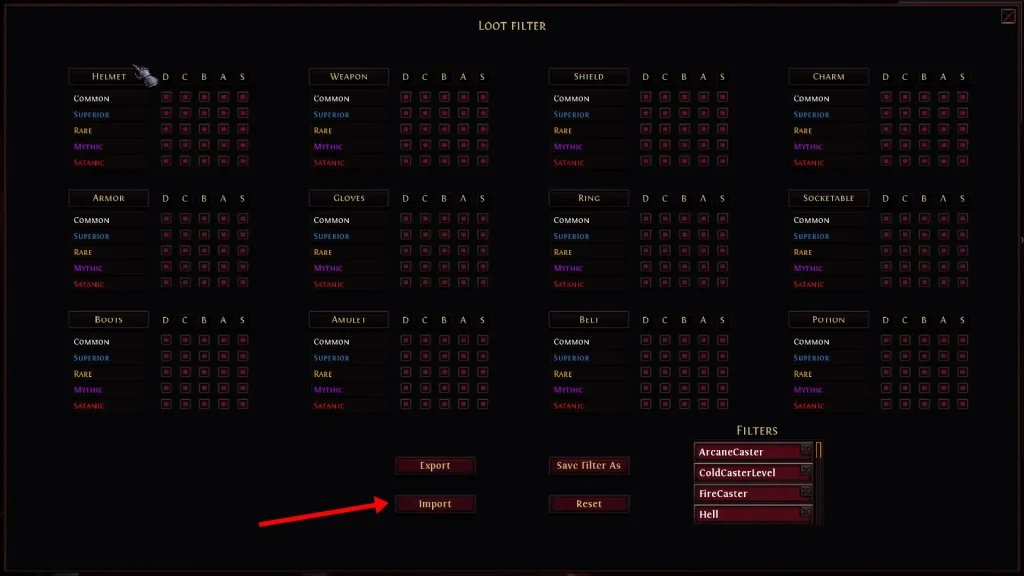
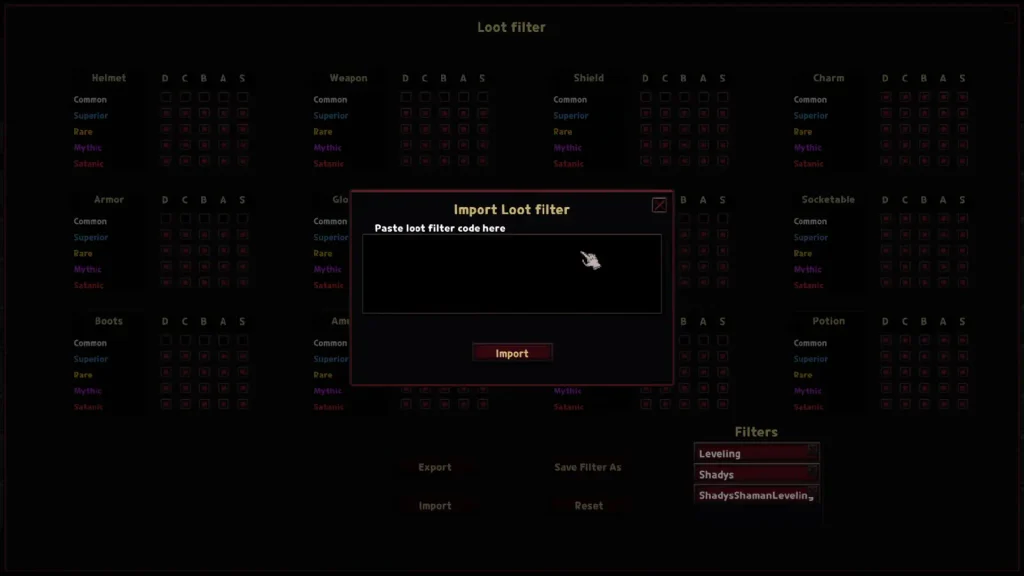
You can build your filter about an hour before a new season goes live. Once the patch downloads, switch to local mode and set everything up there. Save it or export it, then import it onto your character the second the season opens.
How to Back Up a Filter
Your filters also sit on disk at %localappdata%/Hero_Siege/hs2saves, saved as lootfilter_.txt. They’re Base64-encoded JSON, so you can’t read them in Notepad, but you can copy the file somewhere safe before you make any edits, which is much faster than rebuilding from scratch if you ruin a setup.
Starter Loot Filter Priorities
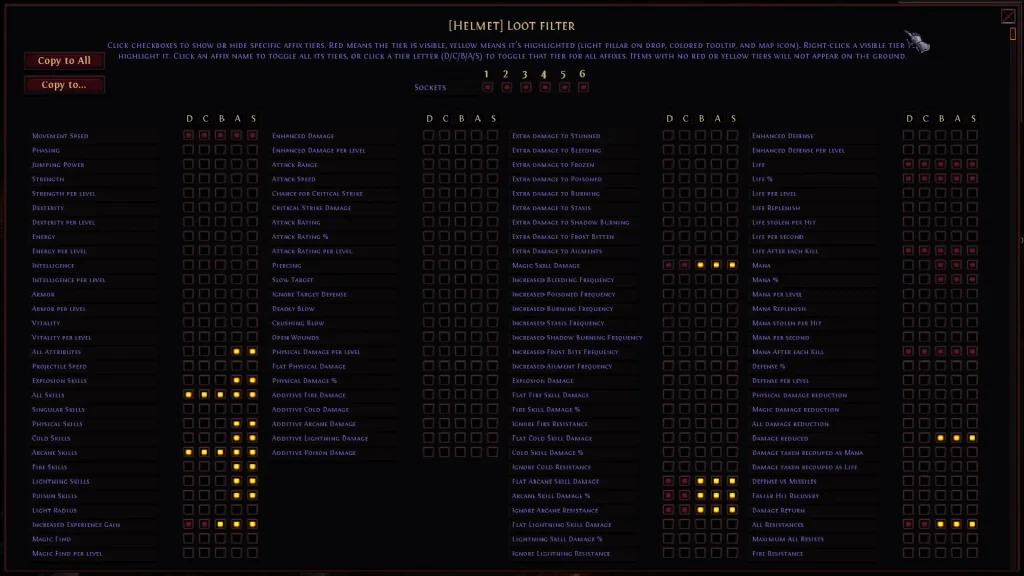
Configure your helmet first, then use “copy to all” to apply it everywhere. Disable life beforehand if it’s pulling in too much junk. Here’s what to prioritize by archetype:
| Archetype | Priority stats |
|---|---|
| Attacker | Enhanced damage first, then flat physical damage and attack speed. Charms are where you want leech long-term, but keep it visible on gloves, rings, amulets, and boots early; mana leech in particular carries you through the first boss fights. |
| Caster | Plus skills are the biggest DPS lever (though they raise mana cost), paired with flat elemental damage and damage multipliers. Cast rate is your attack-speed equivalent. For sustain, filter for life and mana on kill rather than leech. That’s the caster equivalent. |
| Summoner | Same priorities as casters, but watch for the separate “summons” affix tag on gear. |
| All builds (defensive) | Life and resistance charms. Resistances matter per boss, not just overall. Faster hit recovery stops early stun-locks; a little magic find helps you gear up faster. |
Optimizing Your Loot Filter for Higher Difficulties
The affixes you’re hunting don’t change between difficulties. You’re just raising the bar. It’s a two-step process every time: adjust the item tier filter, then set every item’s affix requirement higher, slot by slot.
Nightmare
Set your item tier filter, then push every affix to B-tier or higher across all item types. That’s the whole transition. If you’re not running Graxy’s premade filter, the same two steps apply. Just pick your own affixes to keep visible.
Early Hell
Same principle, pushed further: only A-tier and better bases show up. You can switch superior quality off, but there’s no reason to. Because you’re already filtering by affix, a superior base only shows up if it rolled something you actually want. So leaving it on costs you nothing and occasionally hands you an upgrade.
Endgame Filter (H5+)
Don’t touch this filter until you’ve actually unlocked Hell 5. Import it early, and it hides gear you still need. From there, trim satanic drops down to the tiers you’re actually chasing. On the base tier side, keep S-tier bases visible for rings, amulets, gloves, belts, and charms, plus high-defense armor. Those are the slots where a single good roll is still an upgrade this late.
Slot-by-Slot Filter Tips and Tricks
Socket filtering sits at the top of the highlight filter and exists to help you spot runeword bases early, both to use and to sell. It stops mattering once you’re only showing items with affixes you want, since a socketed base will highlight from the affix anyway. Treat it as a leveling and early-Hell tool, not a permanent setting.
| Slot | What to prioritize |
|---|---|
| Armor | Damage reduced (bottom right column), huge for leveling |
| Gloves/Rings/Amulets (Attacker) | Enhanced damage, crit chance, crit damage |
| Gloves/Rings/Amulets (Caster) | Plus skills, skill damage %, cast rate; gloves with both are exceptionally strong |
| Boots | Movement speed; drop each tier once you outroll it. Phasing is extremely rare but does roll here, so leave it visible. |
| Shields | Movement speed early, or strip to just skills if you don’t use one |
| Belts | Hunt a high-life roll; check build-specific damage rolls at endgame |
| Charms | Your flexible slot; patch whatever’s missing; keep a few off-meta affixes for alts |
| Vials | Instant flasks only (bottom left column of the vial affix grid) |
| Socketables | Leave on default until Hell 1, then start filtering by rune tier |
| Weapons | Disable weapon types your build can’t use |
Why Your Highlight Filter Isn’t Working
If you set your highlight filter to arcane skill damage and gear with “arcane” in the name, and it still isn’t lighting up, you’re not looking at a bug. Hero Siege has three separate, similarly named affixes: additive arcane skill damage, additive arcane damage, and plus arcane skill damage.
| Affix | What it actually boosts | Filter for it if… |
|---|---|---|
| Additive arcane damage | Attacks only | Your damage comes from weapon attacks |
| Additive arcane skill damage | Attacks only, despite the name | Your damage comes from weapon attacks |
| Plus arcane skill damage | Casts of that damage type only | Your build uses skills tagged “cast” |
“Additive” modifiers only buff attacks. They do nothing for skills tagged “cast.” Plus X skill damage only applies to casts of that matching type. Set your filter to the wrong one, and matching gear will drop right past you, highlighted or not.
This isn’t arcane-specific. The same additive-versus-skill split exists for fire, cold, lightning, and poison. Before assuming your filter’s broken, double-check you picked the affix that actually matches how your skill deals damage.
That’s everything about the Hero Siege filter. Still confused about something? Write it in the comments.
FAQ
Can you highlight runes in Hero Siege now?
Runes couldn’t be highlighted before Season 6, when a UI overhaul was promised to fix it. That was several seasons ago. Check in-game yourself, since no current source confirms whether it’s changed.
Does a loot filter carry over to a new character?
Yes. Configure a filter once, generate a code, and import it onto your next character. It’s already finished; no rebuilding required.